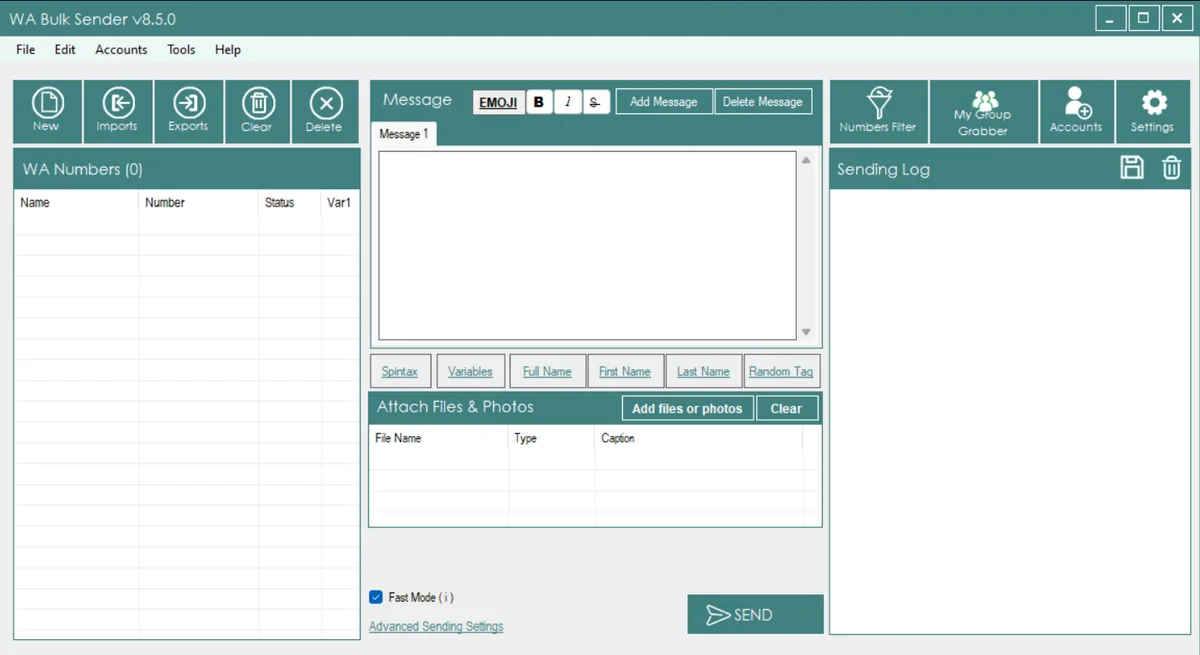
WA Bulk Sender v8.5
Send bulk WhatsApp messages from your Windows PC, with account rotation, numbers filter and a groups grabber.
Works on: Windows PC or laptop
Products
WA Bulk SenderWA Business SenderWA Button SenderWA CRM Sender (Chrome plugin)Download for WindowsFeatures
Bulk messagingImages, PDF, audio and videoPersonalised messagesButton and list messagesAuto replyDynamic chatbotAI chatbotMessage schedulingAll featuresCompare
WA Bulk Sender vs WA Business SenderWA Business Sender vs WA Button SenderWA Bulk Sender vs WA Button SenderWA Business Sender vs WA CRM SenderWhatsApp sender: Windows app or Chrome extension?Bulk sender software vs the WhatsApp Business APIWhatsApp Business app vs bulk sender softwareAll comparisonsDownload
Get the programs from the buttons below, see the screens for yourself and message us when you are ready for a licence.
Send bulk WhatsApp messages from your Windows PC, with account rotation, numbers filter and a groups grabber.
Works on: Windows PC or laptop
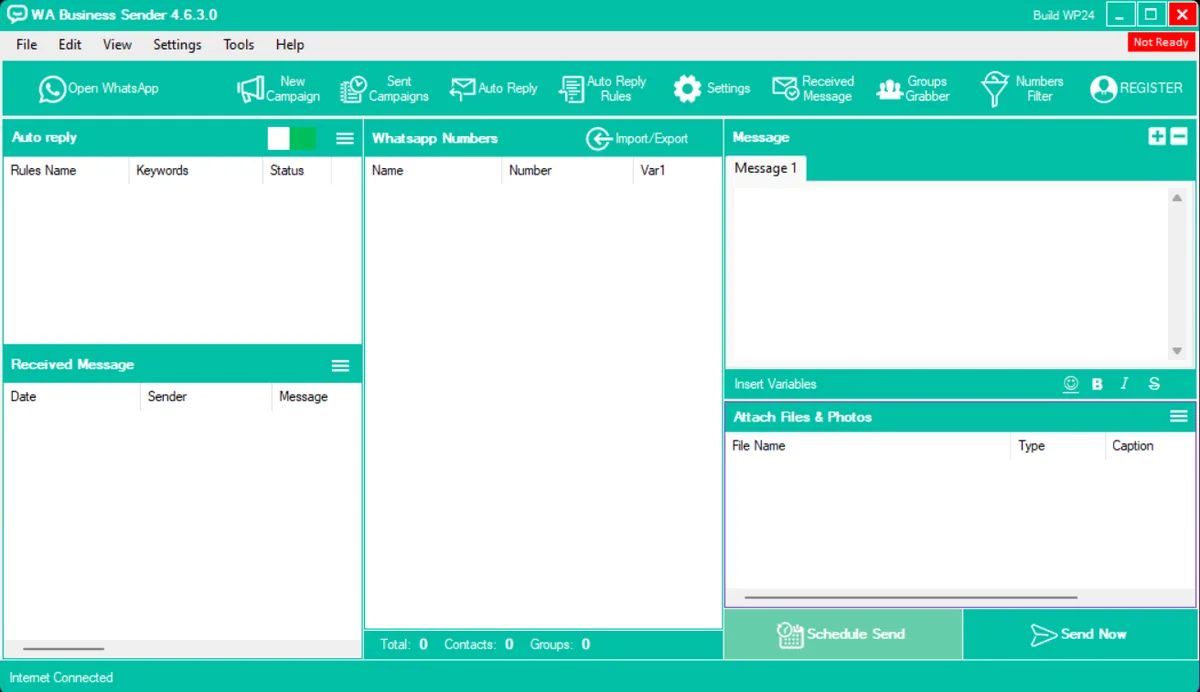
Campaigns, scheduling, auto reply rules, a dynamic chatbot and an AI chatbot in one Windows program.
Works on: Windows PC or laptop
Getting started
Download
Use the download button for the program you want. The files are hosted on our download server (resellerplus.in).
Install and open it
Run the installer on your Windows PC and open the program.
Connect WhatsApp
Log in to your WhatsApp account from inside the program and follow the on-screen steps.
Add your list and message
Import your numbers, write your message and attach a file if you need one.
Get your licence
Message us on WhatsApp to buy a licence and activate the full software.
The installer is under 4.5 MB and runs on 64-bit and 32-bit Windows. Message us and we will send you the download link. After you install it, send us the request key shown in the software and we will help you activate it.
Ask for the installerThe CRM plugin runs inside WhatsApp Web in Google Chrome, on Mac and Windows. Message us and we will send you the details and help you set it up.
Ask for the pluginMessage or call us and we will walk you through it.